Recover functions
Exports, symbols, imports, and the entrypoint. For stripped binaries that export nothing, functions found by scanning .text for call targets, named sub_<addr>.
deglyph loads a PE, ELF, or Mach-O and recovers its functions, even when the binary exports nothing. Read the disassembly, walk the call graph, ask an assistant about a function, or scan a release build for secrets in CI. All from your terminal.
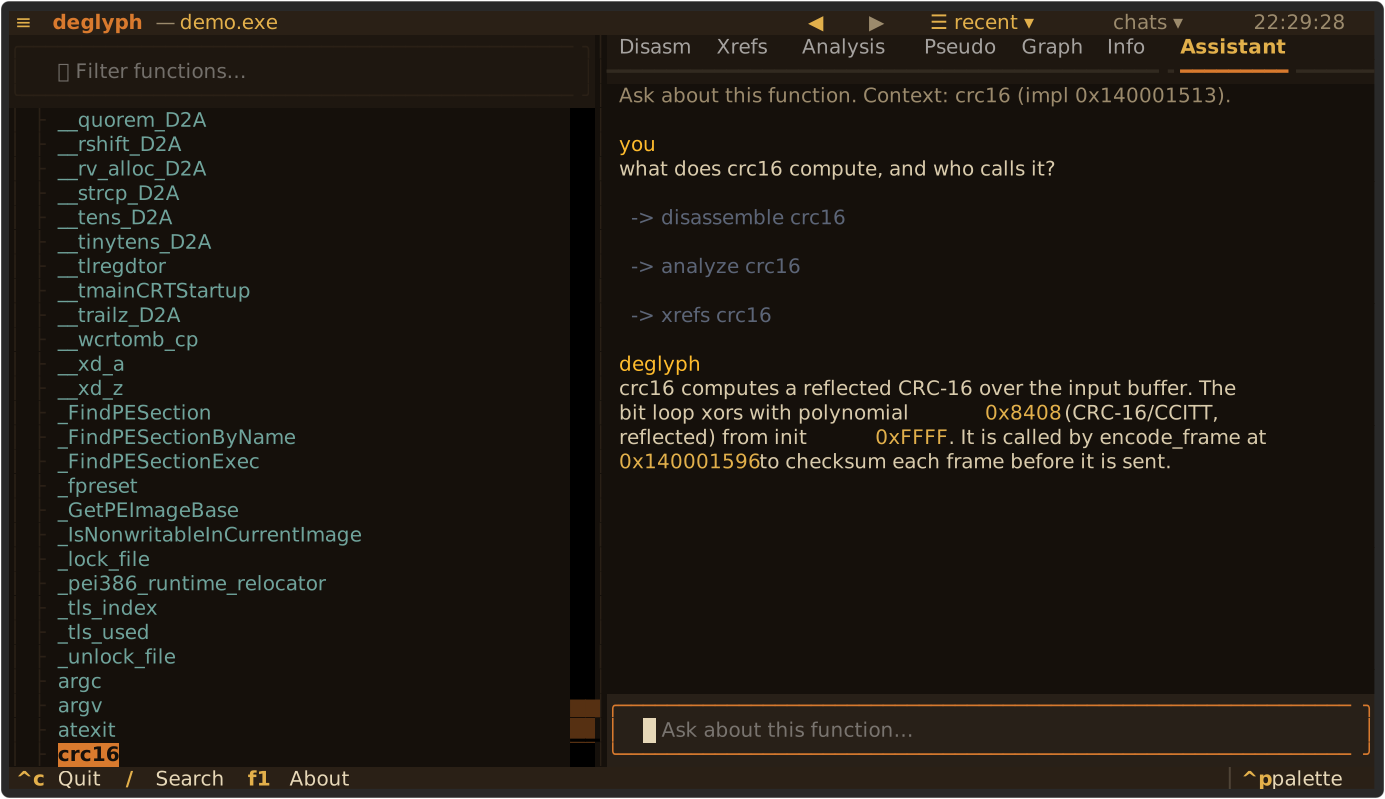
Select a function and ask in plain language. The assistant finds the answer in the binary and cites the addresses, which stay clickable in its reply.
Ask where a binary parses a header, builds a frame, or opens a socket. The assistant calls read-only tools (find, disassemble, analyze, xrefs, search) to locate and explain the code, then answers with the addresses it found. It is opt-in: nothing is sent until you ask.
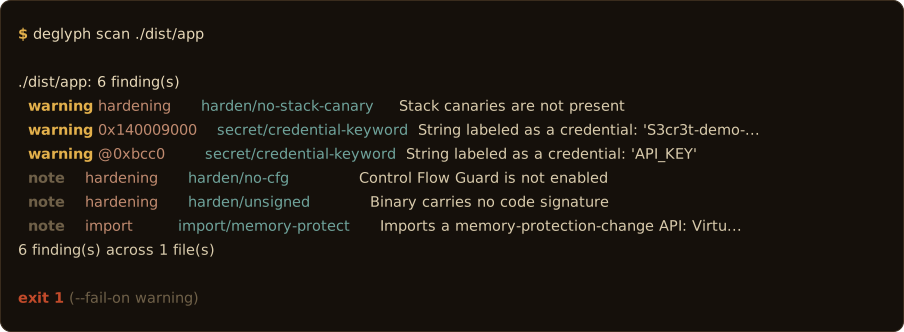
Run deglyph scan on a file or a directory and gate the build on what it finds.
It flags embedded secrets, the hardening posture of the binary, risky imports, linked libraries, and drift against a baseline build. Output is text, Markdown, HTML, or SARIF for GitHub code scanning, and any finding at or above the gate sets a non-zero exit.
deglyph sbom PATH
emits a CycloneDX or SPDX bill of materials from the same load.
Function recovery, navigation, disassembly, and structure recovery, in the terminal.
Exports, symbols, imports, and the entrypoint. For stripped binaries that export nothing, functions found by scanning .text for call targets, named sub_<addr>.
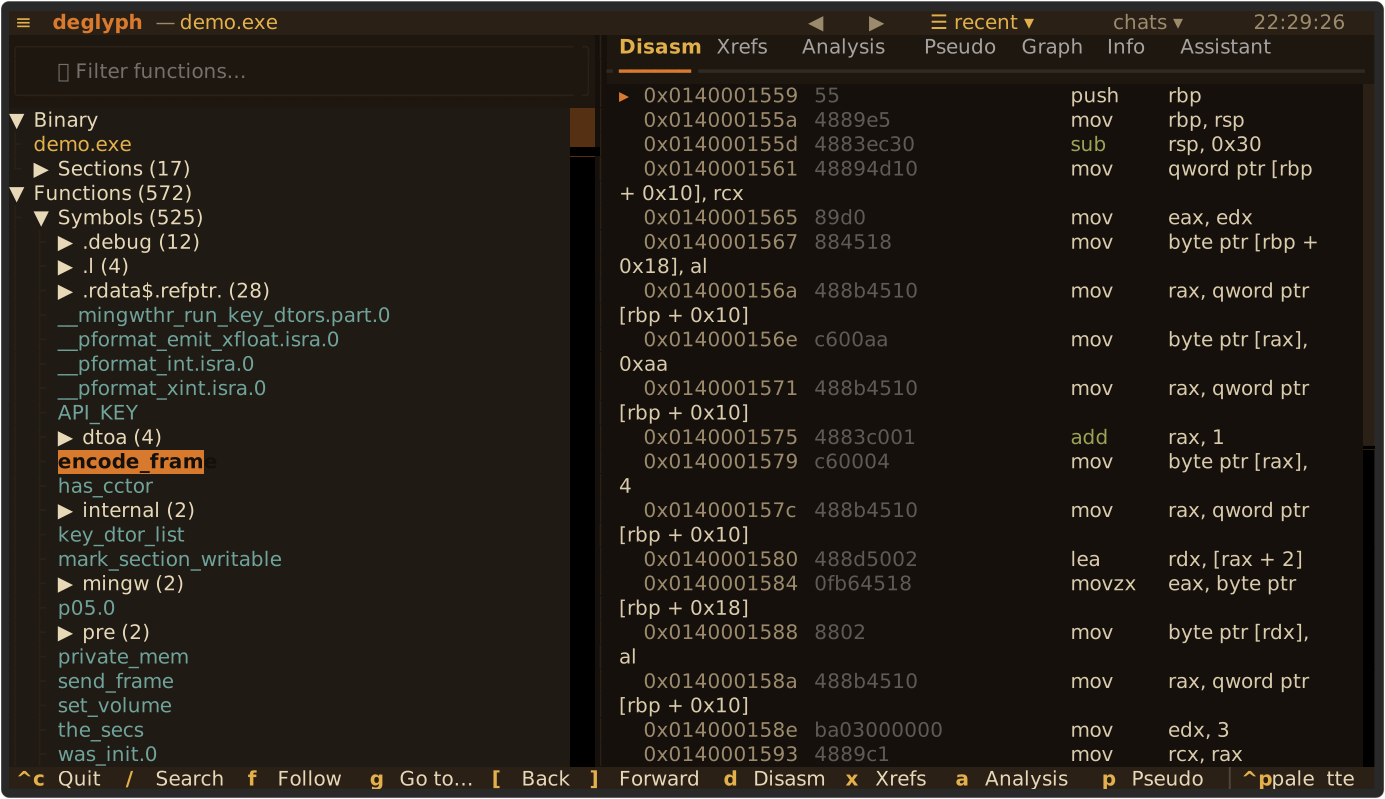
Branch and call targets resolve to names and are clickable, so you can jump straight to a callee. Move the cursor and the listing follows. Press d.
A clickable node view centered on any function, callers above and callees below. Click a node to recenter. Press c, or x for recursive caller and callee trees.
A heuristic, instruction-by-instruction C-like view: registers as variables, mov as assignment, calls as name(...). An annotation of the assembly, x86 only. Press p.
Byte patterns with ?? wildcards, ASCII and UTF-16 strings, and immediate constants referenced in code. Press s for a built-in strings(1).
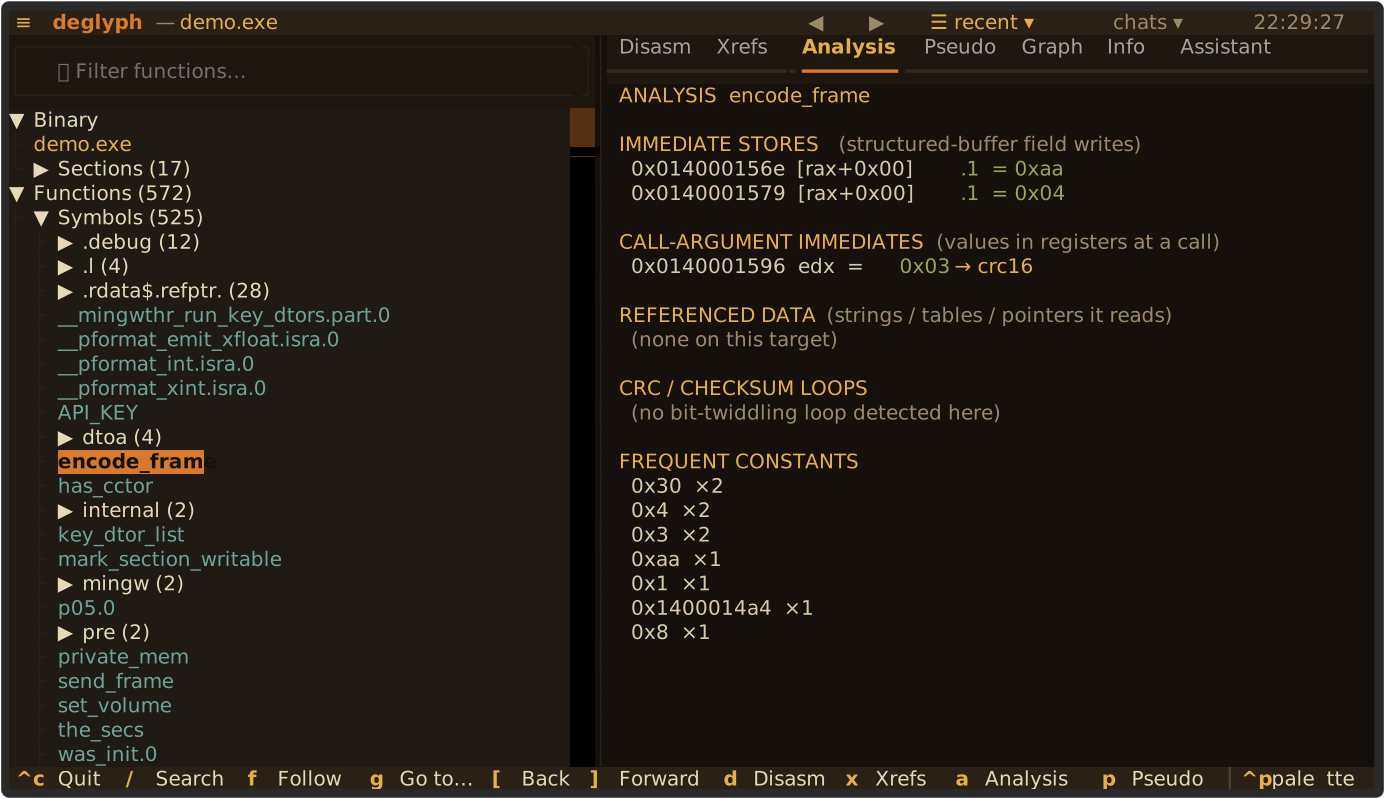
Detectors report immediate stores (magic values, header fields), call-argument immediates (opcodes, flags), and CRC and checksum loops with the named polynomial. Press a.
The analysis view runs three detectors over x86 operands. It reports the immediate stores that initialize a buffer, the constants passed to a shared routine right before a call, and the CRC loop with its candidate polynomial and a name for well-known ones. The detectors point at the instructions; the disassembly is one key away to confirm.
Exported functions are often thin stubs that validate arguments and jump to the routine that does the work. Press f and deglyph resolves the chain, then move through the binary by following calls rather than scrolling a table. The filter is a subsequence match, so encfr finds encode_frame.
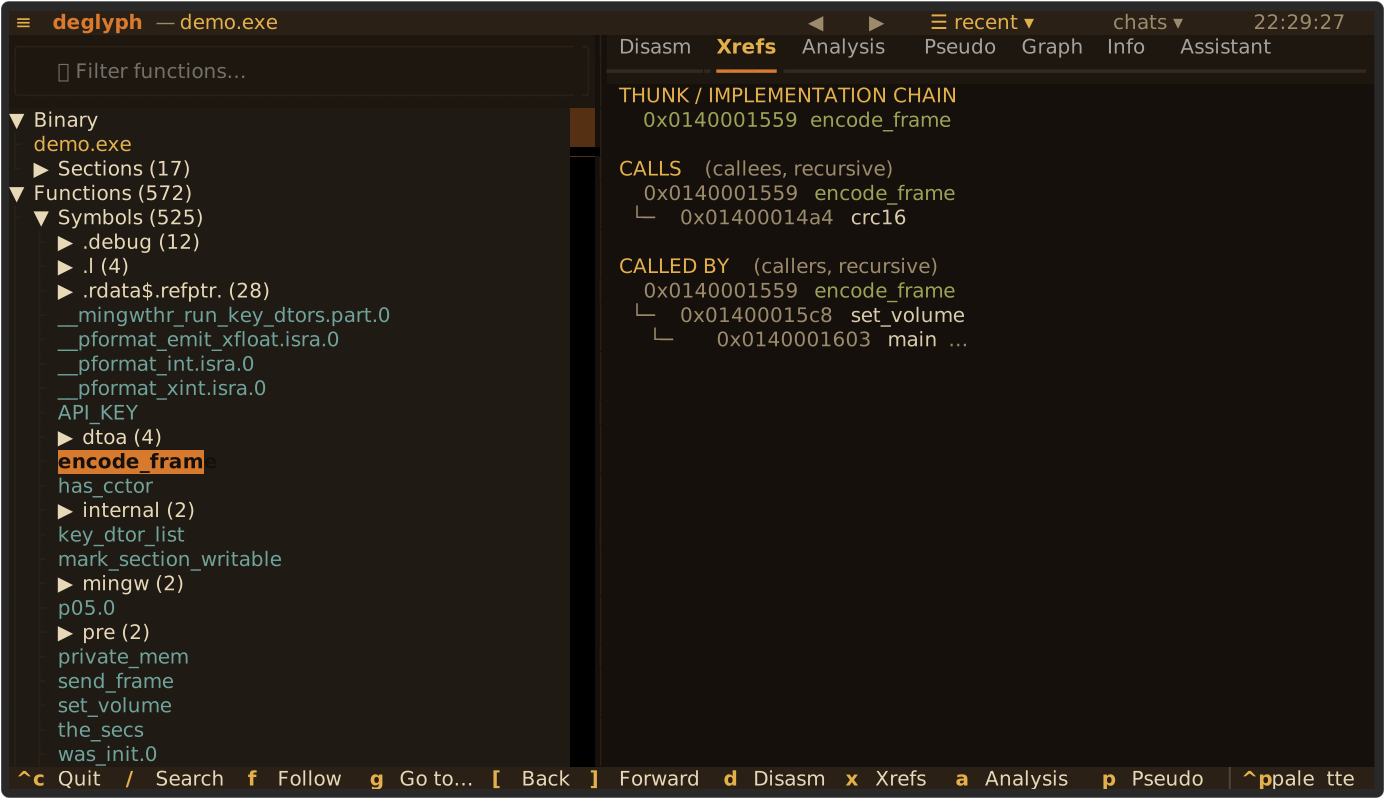
The table lists exports, symbols, imports, and the entrypoint. For a stripped binary, deglyph scans .text for call targets and turns them into navigable sub_<address> entries on a background worker. Format and architecture are detected from the file, across PE32, PE32+, ELF, Mach-O, and fat binaries.
--fmt and --arch overrides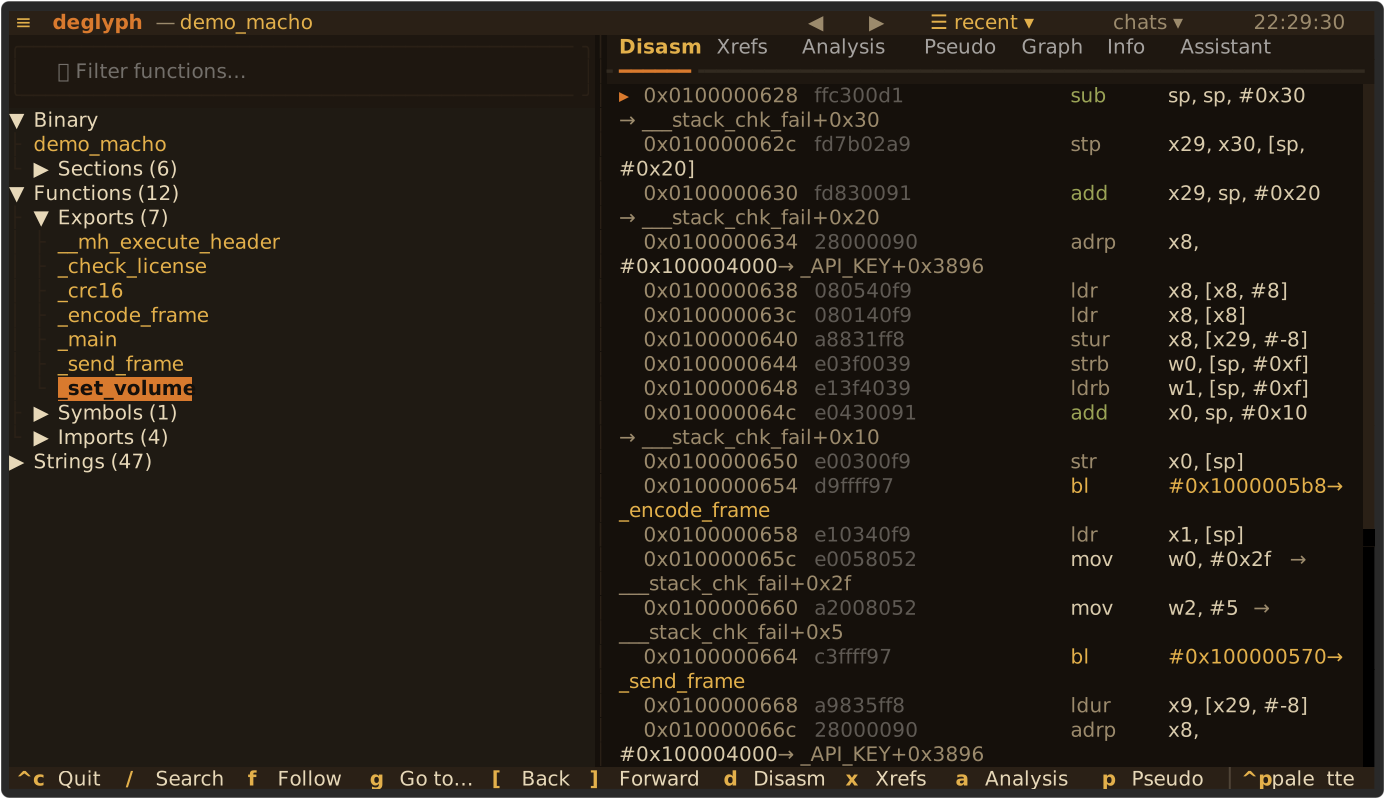
The only requirement on the host is Python 3.10 or newer.
# install the package and the `deglyph` command
# (the AI assistant and C++ demangling are included)
$ pip install deglyph

# add a key to use the assistant, then open a binary
$ deglyph path/to/library.dll
Run deglyph with no file to open the welcome screen.
# the launcher builds an isolated venv on first run,
# so the only requirement on the host is Python
$ ./deglyph.sh path/to/library.dll

# or open the welcome screen with no file
$ ./deglyph.sh
On Windows use deglyph.bat. The first launch prints creating virtual environment, then opens the interface.
$ git clone https://github.com/deglyph-re/cli.git
$ cd cli
$ python3 -m venv .venv && . .venv/bin/activate
$ pip install -e .
$ deglyph path/to/library.dll
GPLv3. The full source is on GitHub; there is no closed-source fork.
# .github/workflows/scan.yml
- uses: deglyph-re/cli@v1
  with:
    path: ./dist/app
    format: sarif      # upload to code scanning
    fail-on: warning   # gate the build
Findings appear in the Security tab and gate the build. See the README for the full workflow.
Each view and the common actions have a single-key binding.
Load a PE, ELF, or Mach-O, recover its functions, and read it. deglyph never executes the binary it analyzes.